How to Create a Strong Password You Can Actually Remember
Length beats complexity. Learn how password strength is measured, why passphrases work, and how to build and check strong passwords without trusting a random website.
In this article expand_more
- How Password Strength Is Measured
- Why Length Beats Complexity
- Passphrases: Strong and Memorable
- The Real Danger Is Reuse
- Use a Password Manager
- Turn On Two-Factor Authentication
- How to Generate and Check a Password Safely
- Common Mistakes
- Frequently Asked Questions
- How long should a password be in 2026?
- Are special characters required?
- Is it safe to use an online password generator?
- How often should I change my passwords?
Most people know passwords should be strong, but few know what that means in practice. This guide explains how strength is measured, why long random passphrases beat clever substitutions, and how to create and check passwords safely. You can generate one now with the Password Generator and test an example with the Password Strength Checker. Both run in your browser.
How Password Strength Is Measured
Security people measure strength in bits of entropy. Each extra bit doubles the number of guesses an attacker needs. A password that is truly random from a pool of N possible symbols has a length times log2(N) bits of entropy.
- 12 random characters from the 94 printable keyboard symbols: about 79 bits.
- 4 random words from a list of 7,776 words (the common "diceware" list): about 52 bits.
- 6 random words from that same list: about 78 bits.
- An 8-character password such as "P@ssw0rd": far less than the formula suggests, because attackers try common patterns first.
The key word is random. A password you invented is much easier to guess than the math for random characters implies, because humans choose predictable patterns.
Why Length Beats Complexity
Adding a capital letter and a symbol to a short word barely helps, because attackers know people do exactly that. Adding length helps a lot. If an attacker could try ten billion guesses per second against a leaked password database (which is realistic for fast hashes), a random 79-bit password would still take on the order of a million years to crack on average. A random 8-character one would fall in hours.
Passphrases: Strong and Memorable
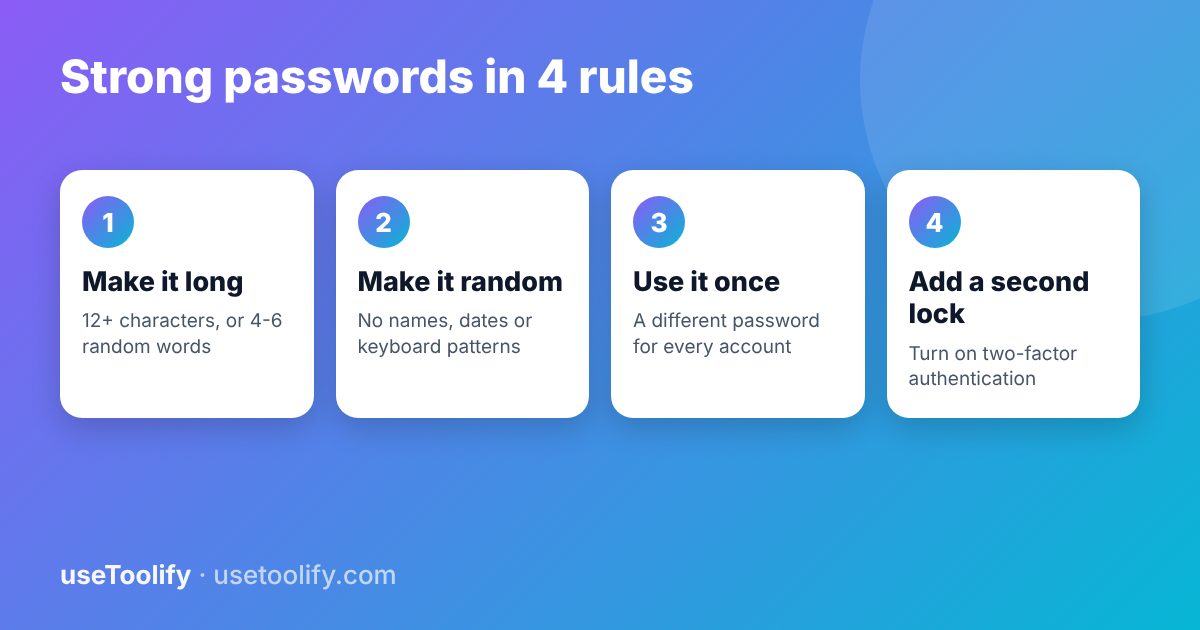
A passphrase is several unrelated words, for example "mango-tractor-violin-seventeen-lantern". It is easy to remember because you can picture it, yet long enough to be strong. Rules for a good passphrase:
- Choose the words randomly, ideally with dice or a generator. Do not pick a quote, a lyric or a sentence about your life.
- Use at least five words for important accounts.
- Do not use the same passphrase anywhere else.
The Real Danger Is Reuse
When a website is breached, attackers try the leaked email and password on other sites. This is called credential stuffing, and it is how many accounts are taken over. A strong password that you reuse is no safer than a weak one the moment any one of those sites leaks it. Use a different password for every account.
Use a Password Manager
Nobody can remember dozens of long random passwords. A reputable password manager stores them, fills them in, and warns you about reuse. You then only need to remember one strong passphrase for the manager itself. Browser-built-in managers are better than reusing the same password everywhere.
Turn On Two-Factor Authentication
A second factor protects you even when a password leaks. Prefer an authenticator app or a hardware security key over text messages where the service offers it. Turn it on first for email, banking and your phone account, because those can reset everything else.
How to Generate and Check a Password Safely
- Open the Password Generator, set a length of at least 16, and include a mix of character types.
- Copy the result into your password manager rather than typing or emailing it.
- If you want to compare patterns, test a similar example in the Password Strength Checker. Never paste a real password into a website you do not trust.
The useToolify tools run entirely in your browser, but as a habit, test an example that looks like your password rather than the real one.
Common Mistakes
- Using names, birthdays, phone numbers or pet names.
- Using keyboard patterns such as "qwerty123".
- Changing one character when a site forces a new password ("Summer1" to "Summer2").
- Saving passwords in an unprotected notes file or a spreadsheet.
- Sharing a password by chat or email.
Frequently Asked Questions
How long should a password be in 2026?
At least 12 characters for ordinary accounts and 16 or more for important ones, or a passphrase of five to six random words. Longer is better, and uniqueness matters as much as length.
Are special characters required?
They help a little when characters are chosen randomly, but length and randomness matter more. If a site forces symbols, add them, but do not rely on them to make a short password strong.
Is it safe to use an online password generator?
Only if it generates the password on your device. The useToolify generator runs in your browser, and nothing is sent to a server.
How often should I change my passwords?
Change them when there is a reason: a breach, a suspicious login, or a shared password. Forced regular changes tend to produce weaker passwords.
Try the tools mentioned in this article
Free, browser-based, no account needed.
arrow_back Previous
AIDA vs PAS: Two Copywriting Formulas You Can Use With AI (With Examples)
Next arrow_forward
How to Use AI Summaries Without Getting Fooled by Hallucinations
Get new tool tutorials in your inbox
No spam — just new posts, occasionally.
Comments (0)
No comments yet — be the first to share your thoughts.