How to Build an ATS-Friendly Resume That Gets Read by a Human
Many employers use applicant tracking systems to sort resumes. Learn the layout, keyword and wording rules that help your resume get through, and how to write bullets that impress a person.
In this article expand_more
- What an ATS Actually Does
- Layout Rules
- Use Standard Section Headings
- Order and Content
- Match the Keywords Honestly
- Write Bullets That Show Results
- File Format
- Test Your Resume
- Pair It With a Strong Cover Letter
- Common Mistakes
- Frequently Asked Questions
- What does ATS-friendly mean?
- Should my resume be a PDF or Word file?
- How long should a resume be?
- Can I use a template from the internet?
Many companies use an applicant tracking system (ATS) to collect and sort resumes before a person reads them. Systems differ and none of them reject a resume simply because it looks plain, but a messy layout can scramble how your details are read. This guide explains what to do so a system can read your resume correctly and a recruiter wants to keep reading. You can build one with the free Resume Builder.
What an ATS Actually Does
An ATS extracts the text from your resume into fields such as name, contact details, job titles, employers, dates, skills and education. Recruiters can then search and filter. If the system cannot read your file properly, your details may land in the wrong field or go missing, which makes you harder to find. Most systems do not "score" you automatically, although some rank candidates by keyword match. Either way, a human decides who gets an interview.
Layout Rules
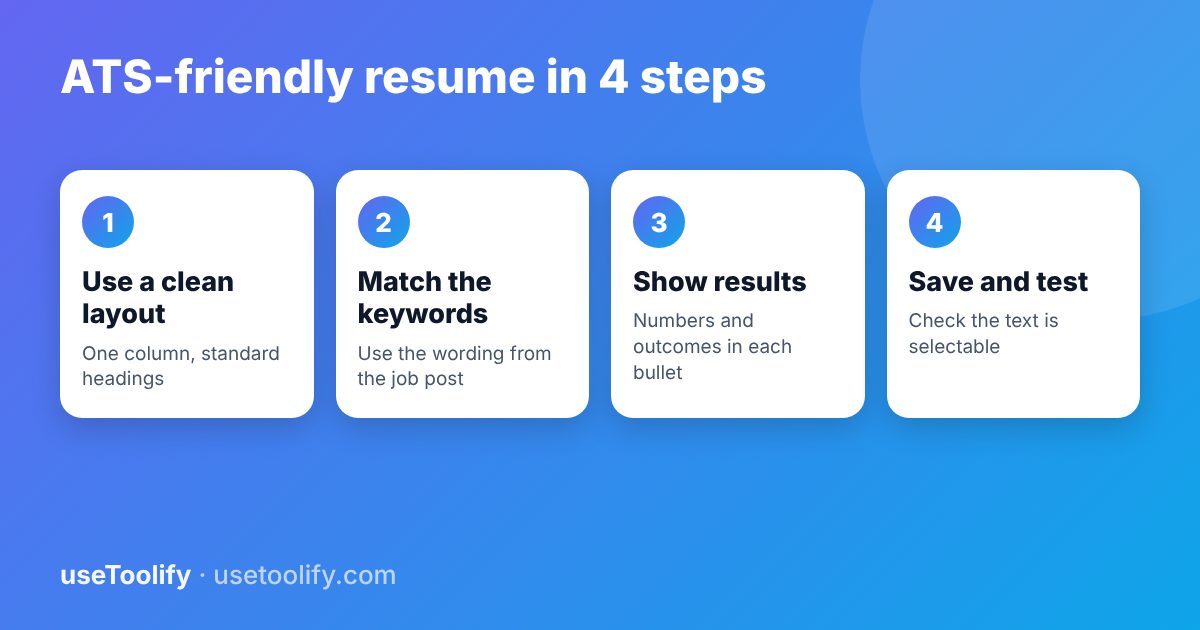
- Use a single column. Multi-column layouts and text boxes can be read in the wrong order.
- Avoid tables, graphics, icons and photos for important content. Skill bars and star ratings carry no readable meaning for software.
- Put contact details in the main body, not in the page header or footer, which some systems skip.
- Use a standard font such as Arial, Calibri or Times New Roman at 10 to 12 points.
- Keep formatting simple: bold for headings and job titles, plain bullets for achievements.
Use Standard Section Headings
Systems and recruiters look for familiar headings. Use "Work Experience" (or "Experience"), "Education", "Skills", and "Projects" or "Certifications" if needed. Creative headings like "My Journey" are harder to recognise.
Order and Content
- Name and contact - phone, professional email, city, and a LinkedIn or portfolio link.
- Summary - two or three lines on who you are and what you offer, tailored to the role.
- Experience - most recent first, with job title, company, location and dates.
- Skills - tools, technologies and methods relevant to the job.
- Education and certifications.
Keep dates in a consistent format, such as "Mar 2023 - Present". For most people with under ten years of experience, one page is enough. Two pages are fine for longer careers, but do not pad.
Match the Keywords Honestly
Read the job description and note the skills, tools and phrases it repeats. If you genuinely have them, use the same wording in your resume. If the posting says "customer relationship management (CRM)", include both the phrase and the abbreviation. Do not add skills you do not have, and do not hide keywords in white text. Both are easy for a recruiter to spot, and they will hurt you in an interview.
Write Bullets That Show Results
A list of duties tells the reader nothing about whether you were good at the job. Start each bullet with a strong verb and add an outcome or a number where you honestly can:
- Weak: "Responsible for social media."
- Better: "Grew Instagram followers from 2,000 to 9,500 in six months by posting short how-to videos."
- Weak: "Handled customer calls."
- Better: "Resolved 40+ customer calls a day with a 95 percent satisfaction rating."
Use only figures you can back up. If a number is an estimate, say "about". Check length and word choice with the Word Counter.
File Format
Follow the employer's instructions. If they do not specify, a PDF that contains real, selectable text keeps your layout intact and is accepted by most systems. A .docx file is the safer choice if the posting asks for Word. Never submit a PDF that is only a picture of text, such as a scanned page, because the system cannot read it.
Test Your Resume
- Open the PDF and try to select and copy the text. If you can, a system can read it.
- Paste the copied text into a plain text editor and check the order. Sections and dates should appear in a sensible sequence.
- Ask a friend to read it for 30 seconds and tell you what you do. If they cannot, simplify your summary.
Pair It With a Strong Cover Letter
When an application allows a cover letter, use it to explain why you want this role and what you will bring. A tailored letter beats a generic one. The Cover Letter Generator can give you a first draft, which you should always edit so that it sounds like you and contains accurate details.
Common Mistakes
- Using one generic resume for every job.
- Fancy templates with columns, icons and progress bars.
- Spelling mistakes and inconsistent dates.
- An unprofessional email address.
- Lying about experience, which can cost you the job later.
Frequently Asked Questions
What does ATS-friendly mean?
It means the resume is formatted so software can read the text in the right order and fields. In practice that means a simple single-column layout, standard headings and selectable text.
Should my resume be a PDF or Word file?
Follow the employer's instructions. If none are given, a text-based PDF is usually fine. Use Word if the posting asks for it.
How long should a resume be?
One page for early-career applicants, and up to two pages for longer careers. Put the most relevant information first.
Can I use a template from the internet?
Yes, but pick a plain one. Heavily designed templates with columns, graphics and text boxes are the most likely to confuse software.
Try the tools mentioned in this article
Free, browser-based, no account needed.
arrow_back Previous
How to Calculate Percentage Increase, Decrease and Discounts (With Examples)
Next arrow_forward
How to Merge PDFs and Reduce PDF Size for Online Applications
Get new tool tutorials in your inbox
No spam — just new posts, occasionally.
Comments (0)
No comments yet — be the first to share your thoughts.