How to Estimate LLM API Costs Before You Build an AI Feature
AI features can be cheap or ruinous depending on tokens per request. Learn the cost formula, a worked monthly example, and the levers that cut the bill without hurting quality.
In this article expand_more
- How Providers Charge
- The Formula
- A Worked Example (Hypothetical Prices)
- Step 1: Measure Your Real Token Counts
- Step 2: Pick a Model for the Job
- Step 3: Multiply by Realistic Volume
- Step 4: Add a Safety Margin
- Ways to Cut the Bill
- Common Mistakes
- Frequently Asked Questions
- How do I calculate the cost of an API call?
- Why is output more expensive than input?
- Are the example prices real?
- How can I stop surprise bills?
An AI feature that costs a few rupees to test can cost thousands a month once real people use it. The good news is that the bill is predictable if you do a little arithmetic before you build. This guide gives you the formula, a worked example with clearly hypothetical prices, and the practical ways to bring the cost down. You can run the numbers with the free Cost Estimator and measure your prompts with the Token Counter.
How Providers Charge
Almost every large-language-model API charges per token, quoted as a price per million tokens, with different rates for input and output. Output tokens usually cost several times more than input tokens. Prices vary enormously between models: a comparison published in mid-2026 listed input prices from a few cents per million tokens for small open models up to around ten dollars for premium ones. Prices also change often, so always read the provider's current price page before you commit.
The Formula
Cost per request = (input tokens / 1,000,000 x input price)
                 + (output tokens / 1,000,000 x output price)

Monthly cost = cost per request x requests per month
A Worked Example (Hypothetical Prices)
Suppose you build a support chatbot. Assume a model priced at $2 per million input tokens and $10 per million output tokens. These are illustration numbers, not a quote.
- Each request sends about 1,000 input tokens (system prompt, history and the question) and receives about 300 output tokens.
- Input cost: 1,000 / 1,000,000 x $2 = $0.002
- Output cost: 300 / 1,000,000 x $10 = $0.003
- Cost per request = $0.005
At 10,000 requests a day that is $50 a day, or about $1,500 a month. At 100,000 requests a day it is $15,000 a month. Now imagine the same app using a model ten times cheaper: $150 a month. That gap is why model choice matters so much.
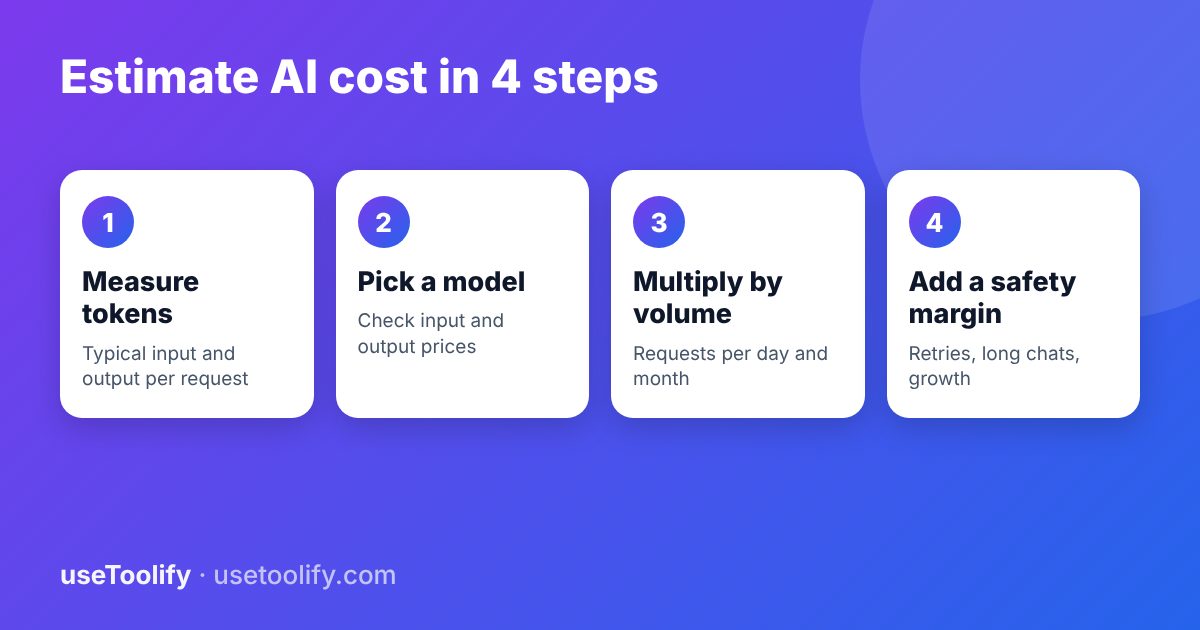
Step 1: Measure Your Real Token Counts
Do not guess. Paste a realistic system prompt, a typical user question, any retrieved documents and a typical answer into the Token Counter. Include the conversation history, because chat apps resend it every turn, and long chats can multiply your input cost several times.
Step 2: Pick a Model for the Job
Match the model to the task. Classification, extraction and short rewrites often work fine on small, cheap models. Complex reasoning, long documents or careful writing may need a bigger one. Test both on 20 or 30 real examples and compare quality, speed and cost with the AI Model Comparison tool. Check the context window too using the Context Window Calculator.
Step 3: Multiply by Realistic Volume
Estimate requests per user per day, times active users, times 30. Be honest about spikes, and remember that free tools attract bots and heavy users. Put a rate limit on any public endpoint.
Step 4: Add a Safety Margin
Add 20 to 30 percent for retries, longer-than-expected answers, tool calls and growth. If the product has an agent that calls the model several times per task, multiply the per-task cost by the number of calls.
Ways to Cut the Bill
- Shorten prompts. Remove repeated instructions, boilerplate and unneeded examples.
- Limit output. Ask for concise answers and set a maximum output length.
- Trim history. Send a summary of earlier turns instead of the whole thread.
- Use prompt caching where the provider offers it, because repeated prefixes such as a long system prompt are often billed at a steep discount.
- Batch non-urgent work. Many providers discount asynchronous batch jobs.
- Route by difficulty. Send easy requests to a cheap model and only hard ones to an expensive model.
- Cache answers to common questions so you do not pay twice for the same reply.
Common Mistakes
- Estimating from one short test chat rather than from realistic usage.
- Forgetting that input includes the system prompt and history, not only the user message.
- Ignoring output pricing, which is often the larger share.
- Skipping rate limits and budget alerts, so a bug or an abusive user can burn through your budget overnight.
Frequently Asked Questions
How do I calculate the cost of an API call?
Multiply input tokens by the input price per token and output tokens by the output price per token, then add the two. Prices are quoted per million tokens, so divide token counts by 1,000,000 first.
Why is output more expensive than input?
Generating text token by token takes more computation than reading the prompt, so providers charge more for it.
Are the example prices real?
No. They are illustrative. Use the current price page of your provider and the Cost Estimator to get real figures.
How can I stop surprise bills?
Set a hard monthly budget with your provider, add rate limits, log tokens per request, and alert yourself when daily spend jumps.
arrow_back Previous
Prompt Injection Explained: How Attackers Trick AI and How to Defend Your App
Next arrow_forward
What Are AI Tokens and Context Windows? A Plain-English Explanation
Get new tool tutorials in your inbox
No spam — just new posts, occasionally.
Comments (0)
No comments yet — be the first to share your thoughts.